Pricing

Create agents in plain English and trust how they behave

Eos agents are written in business language, grounded in real records and executable actions, and designed for predictable execution so teams can automate important work without handing control to a black box. Describe what you need from inside the app or from channels like WhatsApp and Slack, and Eos turns that into grounded, repeatable action.

Agents Plain English Predictable WhatsApp Slack
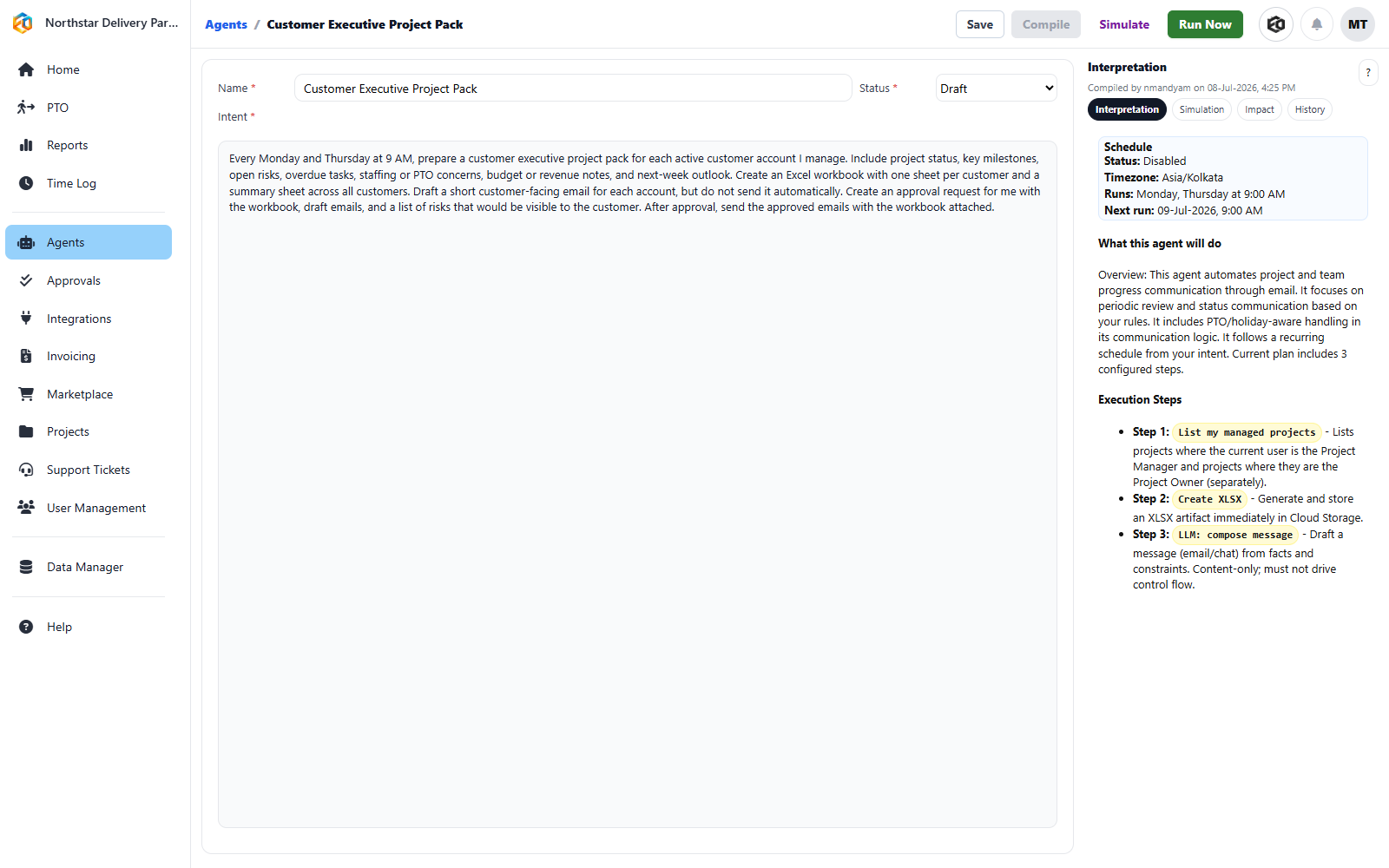
Editing the intent and inspecting the compiled steps of an Eos Agent

Edit the intent and inspect the plan

The business instruction stays beside the schedule, interpretation, and execution steps Eos compiled from it.
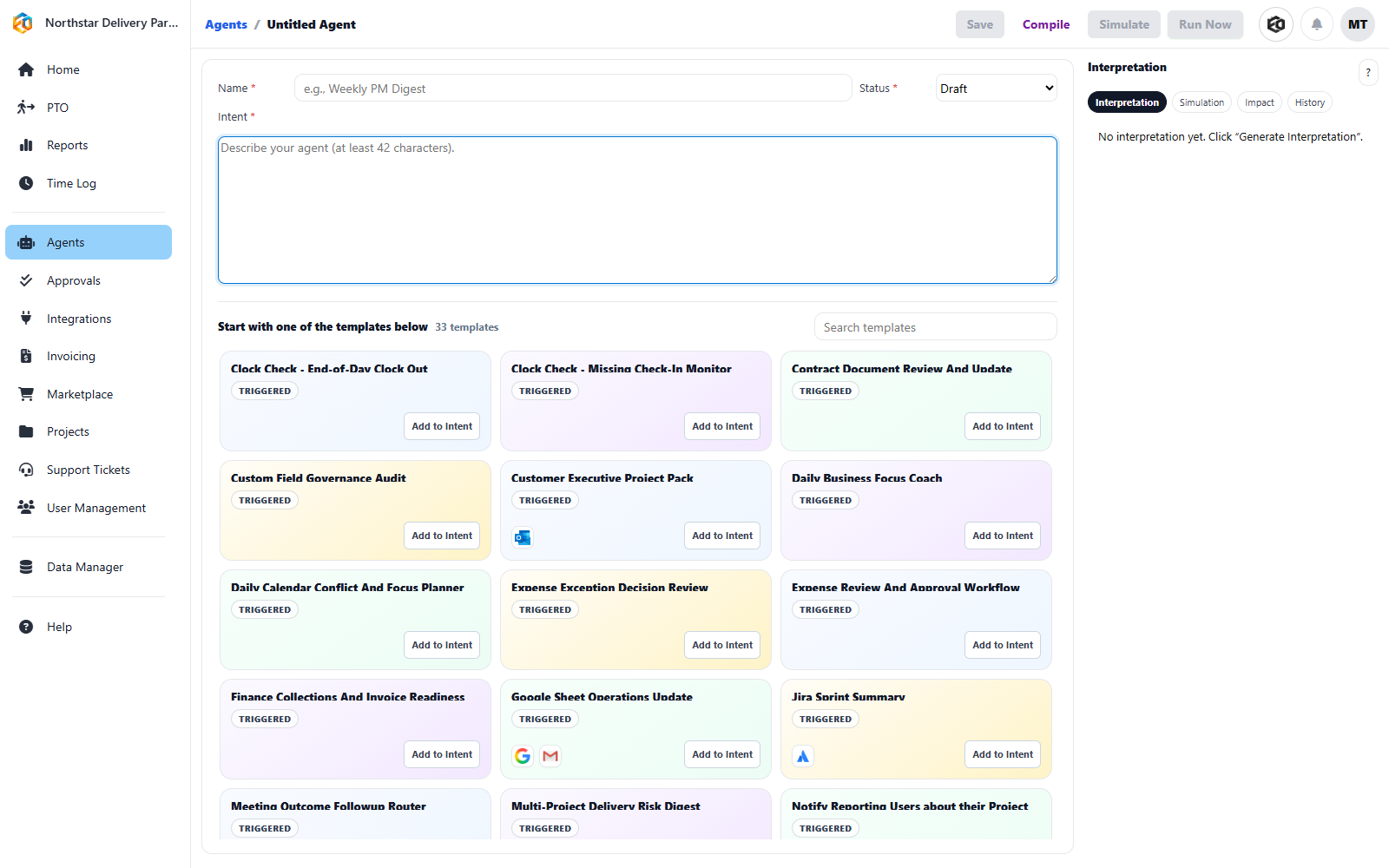
Adding an Eos Agent from the template library

Start from a template or a blank Agent

Customers can install a template, add it to the intent, and adapt the resulting Agent without a services engagement.

See how quickly an Eos agent can be described in plain English.

1

Ask

Describe the outcome you need in normal language, from the app or from messaging surfaces like WhatsApp and Slack, instead of learning a builder or workbench.

2

Ground

Eos connects that request to projects, tickets, records, permissions, notifications, and known actions so it acts on real context, not a guess.

3

Run it predictably

Agents monitor, trigger, route, summarize, and follow through in deterministic ways teams can understand, inspect, and trust.

Why that matters

Useful agents should make operations calmer, not more adventurous

A lot of agent products promise autonomy but create uncertainty. Eos takes a more practical approach: help teams move faster across the app and the channels they already use, but keep execution understandable and controlled.

Agents that follow clearly defined steps and intent
Execution grounded in known capabilities and permissions
The same underlying actions reachable from the app, WhatsApp, or Slack
A better fit for business-critical operations than free-form experimentation

Key features

  • Plain-English workflow creation
  • Predictable, deterministic execution paths
  • In-app and messaging entry points for the same reusable actions
  • Scheduled, event-driven, and conversational follow-through

What teams use agents for

Routing tickets, checking overdue items, summarizing status, preparing updates, triggering reminders, moving work forward, and keeping recurring processes on schedule.

What leaders gain

Less operational drag, faster response, and more confidence that the automation layer will behave the way the business expects.

Agent Library

Start with an Agent that already knows the job

Every Agent on this page starts as an installable template. Browse the full library, install one for your organization, adapt its policy, connect the records it needs, then simulate it before activation.

Next

Pair agents with the right conversations and operating data

Agents get even more useful when teams can ask questions naturally and move from intent to action without leaving the platform.

Explore Conversations Explore Projects