How can AI triage tickets safely?
Eos separates classification and drafting from consequential actions, then applies configured permissions and approval rules to each step.
The Ticket Resolution Agent classifies incoming work, gathers project and customer context, sets priority and ownership, prepares or sends the reply, follows up, and closes low-risk tickets when the closure conditions are met.
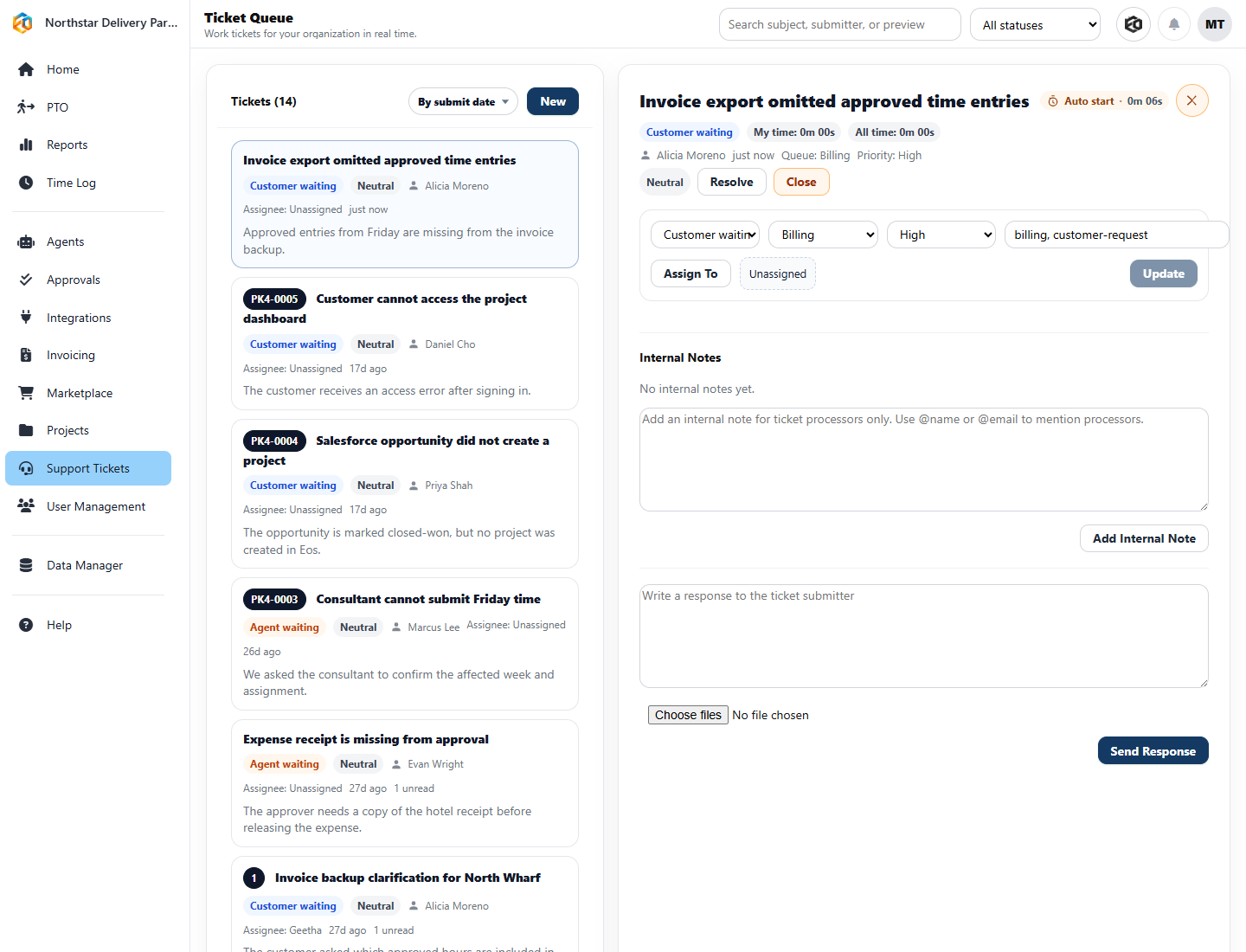
The supervised template requests approval before consequential actions. The low-risk automation template can send replies, change priority, assign ownership, update status, and close tickets that match your approved playbooks. Anything outside those boundaries waits for review.
The Agent can use queue, priority, sentiment, customer messages, internal notes, assignee, time, linked projects, and prior activity. Jira Cloud actions are also available for teams that keep delivery work there.
Classify the issue, inspect its history, and collect the records needed to make a decision.
Route, assign, update, answer, create follow-up work, or request approval.
Recheck waiting tickets, escalate stalled work, and close only when the configured conditions are satisfied.
That is usually enough to show where automation belongs and where it does not.
Eos separates classification and drafting from consequential actions, then applies configured permissions and approval rules to each step.
Depending on configuration, it can classify, gather context, draft, route, update, follow up, verify, and close.
Supervised handling pauses for a person at the defined decision. Low-risk handling permits only the steps your organization has explicitly allowed.
No. Jira Cloud can remain a system of record while Eos coordinates work across Jira and other operational tools.