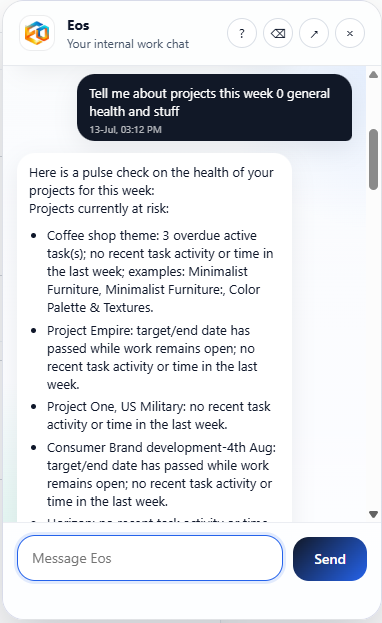
Eos exposes hundreds of skills as conversation, so you never have to remember where a menu item lives. Ask for what you need in plain language, in the app or through WhatsApp, Slack, Google Chat, or Microsoft Teams, and Eos does it grounded in your real projects, tickets, billing, and operational data.
Skip the search for the right screen, filter, or report. Say what you want, and Eos finds the skill that does it.
Every operational action in Eos, from checking a project to preparing an invoice, is reachable as a conversation, not a menu you have to learn first.
The app, WhatsApp, Slack, Google Chat, and Microsoft Teams all reach the same skills, records, permissions, and workflow state.
Most systems make you learn where things live before you can get anything done. Eos inverts that: describe the outcome, and the system figures out which of its hundreds of skills to run, whether you're in the app or messaging from wherever you already are.
The app and WhatsApp carry the full skill library today. Slack, Google Chat, and Microsoft Teams already cover the everyday questions and actions, and we're actively closing the gap so every channel reaches full parity with WhatsApp.
Eos Chat sits alongside every screen, so a question never means leaving what you're looking at.
The broadest skill coverage outside the app today, for teams who live in WhatsApp for work.
Ask and act without leaving the channel your team already uses to coordinate.
Bring the same skills into Google Chat spaces alongside the rest of Google Workspace.
Reach Eos from Teams without another app your team has to remember to open.
New skills ship to the app and WhatsApp first, then roll out to Slack, Google Chat, and Teams as they reach parity.
Get answers faster, request changes more naturally, and spend less time navigating through separate screens to find or trigger the right thing.
Make the platform easier to adopt because people can simply ask for what they need instead of being trained on a new UI for every workflow.
The strongest experience comes when teams can talk to the system naturally, from any channel, and trust the execution that follows.